

Which dishes sell a lot but earn little?
Cross-check demand against recipe costing to review quantities, yield, supplier or price, while protecting what you offer the customer.
Restaurant management software
StockRest connects purchasing, stock, recipes, orders, kitchen and payments. Your team knows what to offer and whom to serve first, and the owner sees where margin is made and where it is lost.
 Lunch service
13:51
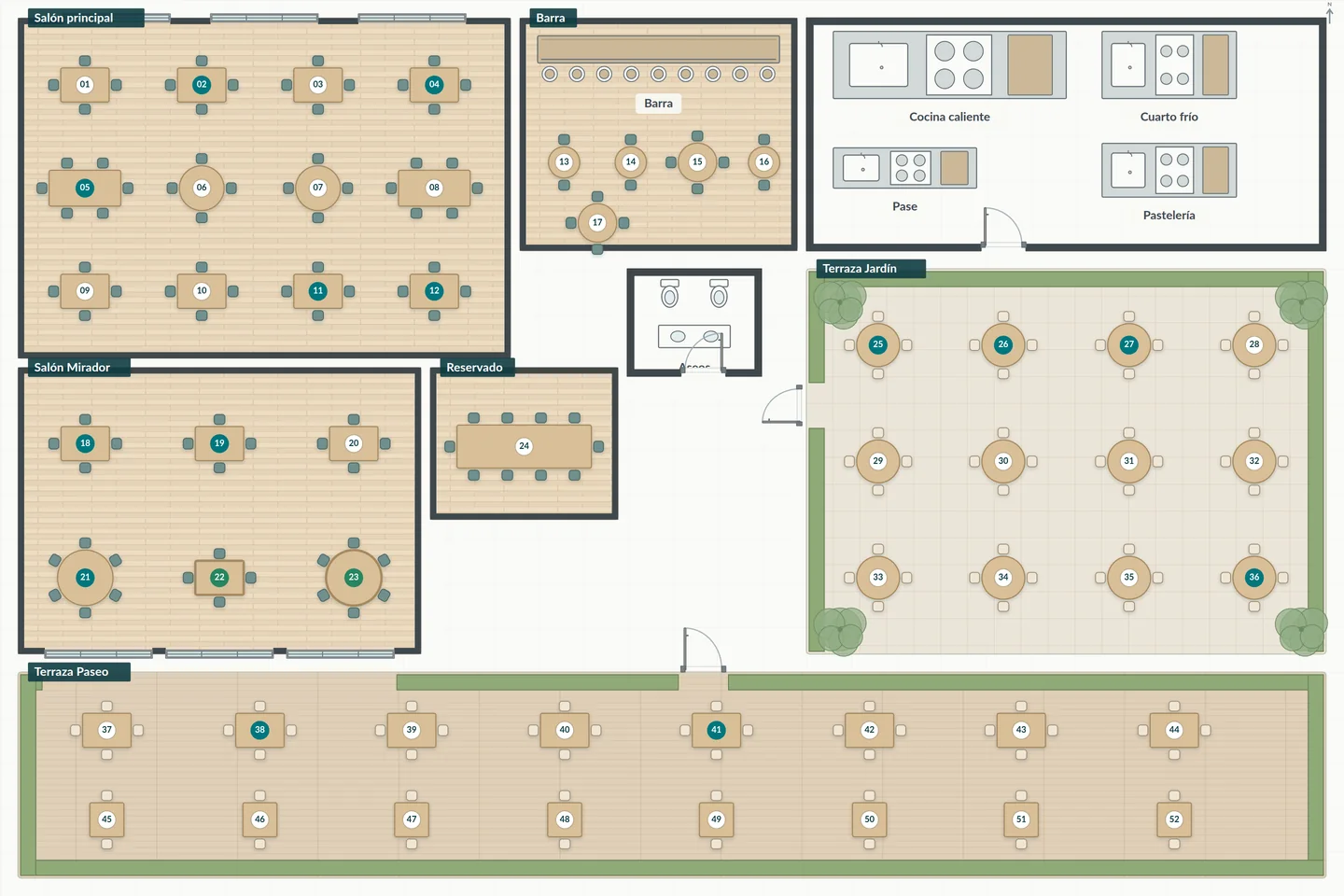
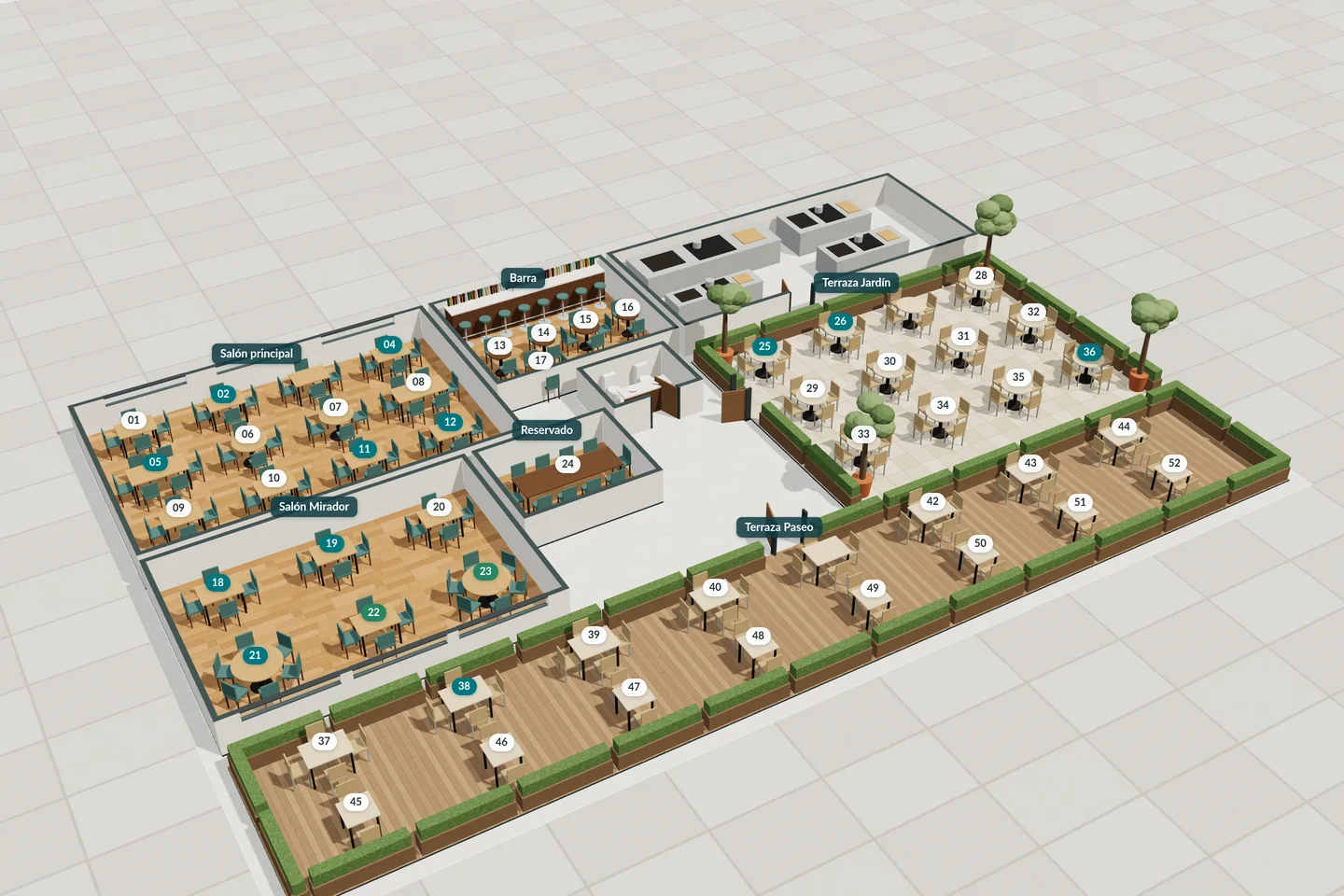
Dining room, kitchen, stores and till usually each work with their own information. StockRest brings it together so everyone decides with the same data.
Each area on its own
Front of house does not know whether there are ingredients left, and the kitchen finds out once the order has been sent.
The kitchen receives work without a clear sequence and dishes wait at the pass.
A few extra grams of an expensive ingredient are repeated in every portion.
Sales, purchasing and tables are reviewed separately, and when it is already too late.
With StockRest
Each dish shows the portions possible and the order reserves its ingredients when it is confirmed.
Tasks by station, course and capacity, with the reason for each priority in view.
The share of each ingredient in the cost and a simulator to test adjustments before applying them.
Margin, waste, times, till, areas and customers linked in one place.
What comes in through purchasing reaches the recipe, the order, the kitchen and the bill. That is why the figures match on every screen.
Only what is received and accepted comes in, with its batch, cost and expiry date.
Expired or blocked batches no longer count as available.
Each dish knows which ingredients it uses and what one portion costs.
When it is confirmed, all its ingredients are reserved in a single operation.
Tasks are ordered by course, station, equipment and the times in each recipe.
Front of house knows which dish is ready and which table and seat it goes to.
Partial payments, splits that add up to the cent and VERI*FACTU documents.
Margin, actual usage, waste, times and till for each service.
It works in the browser on a phone, tablet or computer. Each person sees the screens and actions for their role.
Floor plan with areas, tables and seats, and the service progress of each table.
See detailsPortions possible for each dish and joint confirmation of the whole order.
See detailsWork by station, course, cooking batch and equipment, with priorities that explain themselves.
See detailsVersions, reviewed allergens, batch preps and cost per portion.
See detailsBatches, expiry dates, movements, waste and reconciled stock counts.
See detailsOrders, partial deliveries, documents and price per usable quantity.
See detailsBills, splits to the cent, mixed payments, refunds and cash count.
See detailsOptional profiles, visits, stated preferences and usual dishes.
See detailsProfitability, usage, waste, service times, till and areas.
See detailsProfitability
Reviewing quantities and seasonings can recover margin without raising the price. StockRest shows how much each ingredient weighs in the cost and lets you simulate the change. The kitchen approves flavour, presentation and allergens before it is applied.
Try the recipe costing simulator
Hypothetical example. Sale price of €10 excl. VAT and recorded ingredient costs, before other expenses.
The same person can hold several roles. If they work at several venues, they choose which one to sign in to and with which role.
The floor plan shows which tables are occupied, which dishes are missing, which are ready and who is running late. Each dish is linked to its table and seat.
Tasks are ordered by station, course, capacity and equipment. The head chef can bring forward, hold or move a task to another station, and the reason stays in view.
T4 Salad: timed to go out with the rest of the course.
T9: the course is on hold until front of house releases it.
Open bills, pre-bill, splits and partial payments in cash, on the card terminal or by other methods.
Needs are worked out from stock, reservations, minimums and planned preps.
| Supplier and pack size | Usable price | Age |
|---|---|---|
| Harbour distributorFresh loin, 2 kg | €38.50/kg | 2 days ago |
| WholesalerFrozen loin, 1.35 kg usable | €41.10/kg | 5 days ago |
| Supermarket250 g tub | €47.60/kg | Outdated |
Profitability per dish, replacement cost, waste, times, till, areas and customers, with the definition of each figure.
The customer profile is optional: a table, a booking or a bill works just the same without it.
StockRest links sales, margin, times, waste and till so that every figure can be traced back to its source.
Cross-check demand against recipe costing to review quantities, yield, supplier or price, while protecting what you offer the customer.
Compare use, spend, waiting times, capacity and shifts before reorganising the space or the team.
Trace delays, remakes, waste, complimentary items and till discrepancies back to their specific cause.
An indicator is only useful if you know where it comes from. Every StockRest figure explains its calculation, its period and the data that is missing.
How each figure is calculatedIf a price is missing, the cost is shown as pending and the dish is not considered profitable.
Each order keeps the recipe version and the price it was accepted with.
StockRest does not change recipes, quantities or priorities on its own.
A simulation is never presented as a result achieved.
Splitting a bill, joining tables or linking customers does not duplicate sales or visits.
Invoicing
Every simplified, full or corrective invoice generates its record with a chained hash and a QR code. StockRest submits it to the AEAT with the restaurant's certificate.
Your restaurant
Tax ID (NIF) and venue address
What restaurants usually ask before getting started.
No. StockRest runs in the browser on phones, tablets and computers. Card payments are taken on your card terminal: StockRest records the result and its reference, without storing card details.
Only the order that the inventory can cover is confirmed. The other one gets a warning listing the affected dishes so they can be changed and the order sent again. Part of an order is never accepted without warning.
No. The customer profile is optional and service without identification works just the same. When it is used, it helps remember preferences and visits.
Yes. Each venue works with its own data and the same person can belong to several venues with different roles. When signing in, they choose which one they are working in.

Tell us how your restaurant works and we will show you how the dining room, kitchen, purchasing and till fit together.